
virtual roundtable discussion
Virtual roundtable discussions are a great way to connect with clients and drive demand for your products or services. They’re also a powerful tool to build relationships with your target audience and establish your brand as a thought leader.
But, despite their value and benefits, virtual events can be challenging to plan, especially when you’re hosting multiple guests in a single discussion. To help you avoid pitfalls and deliver a seamless, successful event, here are some of the most helpful tools that can make your next virtual roundtable discussion more effective.
Before you begin planning for your virtual roundtable discussion, it’s important to understand your goals and the needs of your audience. Asking for input through surveys, social media, or focus groups can give you insight into the topics that interest your audience and how to best approach them. This information will come in handy when you’re choosing guest speakers and preparing for the discussion.
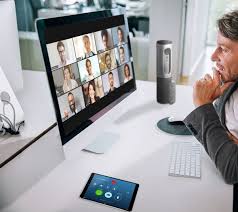
What tools help facilitate a virtual roundtable discussion?
Guest speakers should be chosen based on their experience, knowledge, and expertise in the subject matter of your roundtable discussion. Choosing guest speakers that specialize in the topic will help keep your roundtable on track and increase audience engagement. Additionally, guests can learn new things from these guest speakers and be exposed to ideas they may have never considered before.
During your virtual roundtable discussion, you’ll need to be prepared to answer questions from participants and provide additional guidance when needed. You can prepare by writing out a list of potential questions ahead of time or having the moderator review them prior to the event. This will help ensure that everyone is on the same page and can participate without issue during the event.
It’s also a good idea to select a few guest speakers to serve as ambassadors for your event. They can promote the discussion through their networks and social media platforms, increasing the reach of your event. Additionally, you can select one or two guests to record a video invitation that will be sent out to attendees. This will add a personal touch and increase attendee retention by making them feel like the event is just for them.
Another tool that can help you prepare for a virtual roundtable discussion is using a virtual meeting platform that can handle multiple speakers. With a solution like Livestorm, you can host up to 25 simultaneous speakers and create custom backgrounds to create a seamless, professional-looking event that your guests will enjoy.
To encourage attendance at your virtual roundtable discussion, send out a reminder email a few days before the event. Include the agenda and a link to join. This will help your guests feel prepared for the discussion and will also allow you to check-in with them to see if they’re able to participate. If they are unable to, you can source another guest speaker and invite them in place of the original guest. It’s also a good idea to test any links, presentations, or audio prior to the event so that there are no surprises when the day of the discussion comes around.